 SmartrLock
Reduce your screen time with friends
- SmartrLock's leaderboard shows who spends the least time on their phone, over 7 days.
- A team of 2 to 6 friends keeps a weekly scrolling limit: +50 Brainz each if it holds.
- Your screen time is shared only if you choose to.
Resolutions made alone rarely last. With others, it's different: you motivate each other, compare in a friendly way, and don't want to let anyone down. SmartrLock was designed for that.
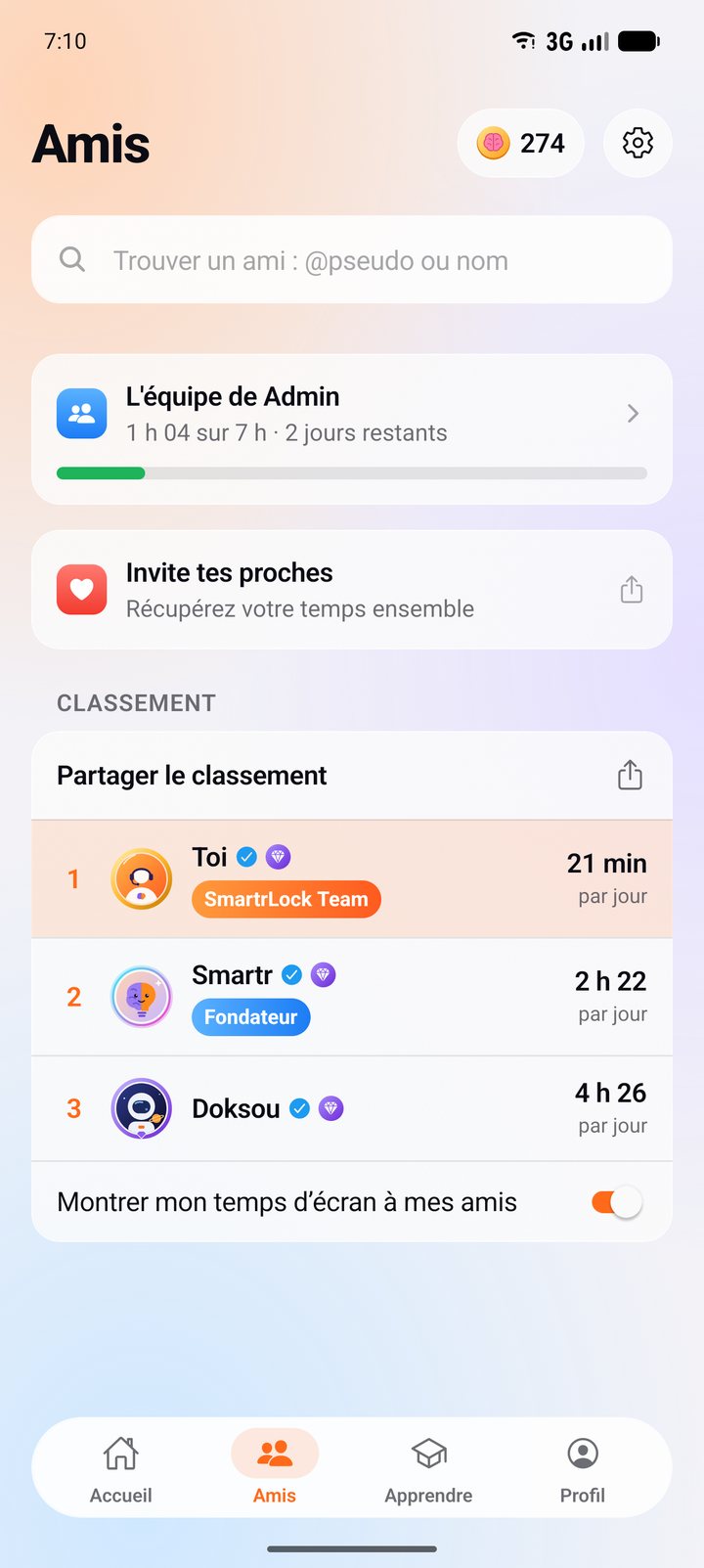
The leaderboard: who spends the least time on their phone
In the Friends tab, the leaderboard compares average daily screen time over the last 7 days. Here, first place goes to whoever spends the least. Only friends who switch on "Show my screen time to my friends" appear, and it's off at first.
You can share your ranking as an image on WhatsApp, Instagram or by SMS, to start the challenge.
Teams: a weekly scrolling limit, kept together
A team is 2 to 6 friends. Everyone picks a share, from 3 to 14 hours a week on paused apps, and the team has a shared limit from Monday to Sunday.
- Everyone sees how the others are doing, day by day.
- You get a heads-up when the team gets close to its limit.
- If you make it, it's +50 Brainz each. For the week to count, everyone must have sent their figures.
Why it helps
Knowing your friends count on you makes the pause easier to respect. And saying "we made it this week" is a lot nicer than fighting your phone alone.
What about privacy?
SmartrLock sees which app is open, never what you do in it. Your screen time is sent only if you show it to your friends or if you're in a team, and it's deleted when you leave the team.
Friends, the leaderboard and teams are free.
Ready to look up from your screen?
Get it on Google Play