 SmartrLock
Why app limits don't work (and what does)
- App timers can be bypassed in one tap and are all or nothing.
- A little friction before reopening the app turns a reflex into a decision.
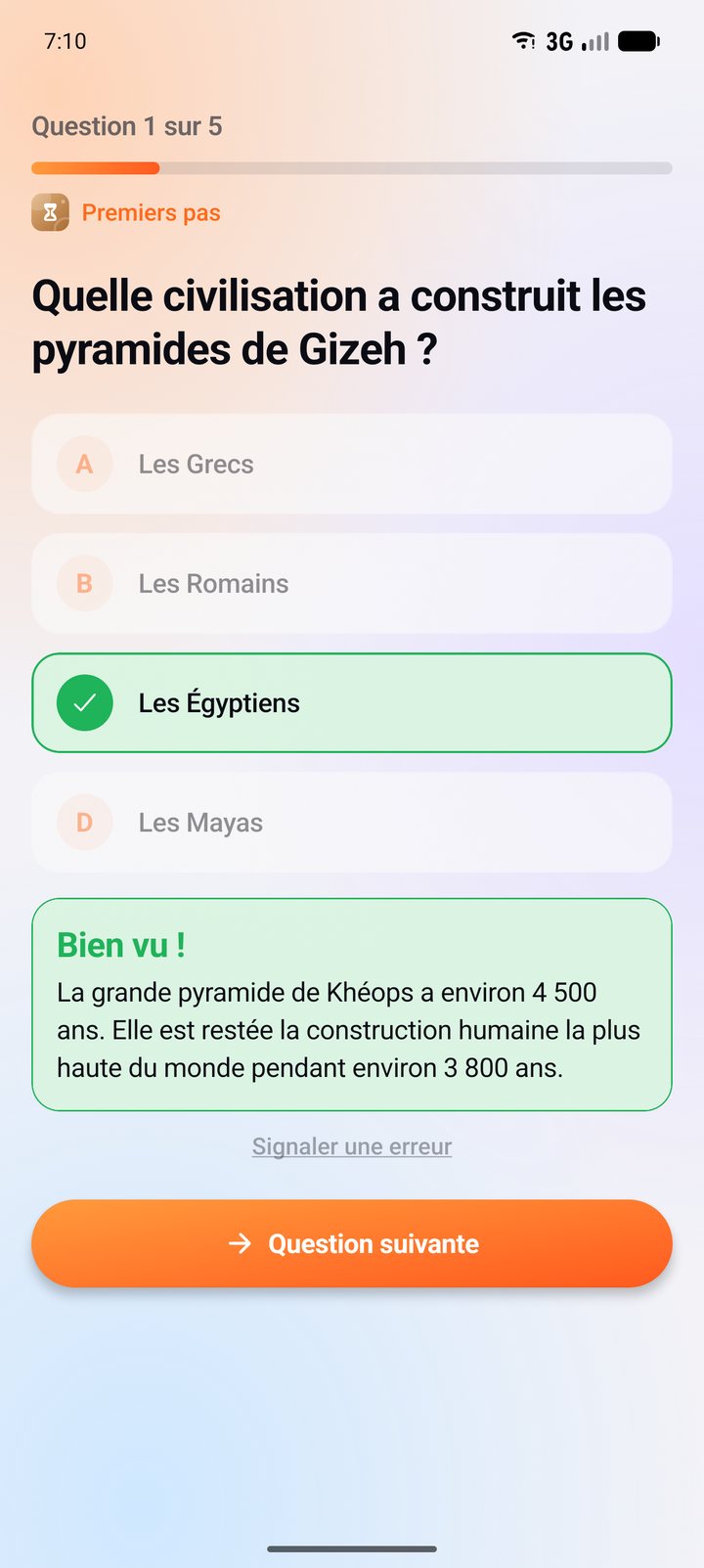
- With SmartrLock, a 5-question quiz unlocks the app for 5 minutes to 2 hours, even if you get it wrong.
Maybe you've tried it: a 30-minute timer on Instagram. On day one, it works. By day three, you tap "Ignore limit" without even reading. You're not the problem, the tool is.
The trouble with classic limits
- They can be bypassed in one tap. When the override button is one finger away, the reflex wins.
- They're all or nothing. Either the app is blocked until tomorrow, or it isn't. So people end up switching everything off.
- They come without warning. The app cuts off in the middle of a video, it's annoying, and you restart it.
What works: just enough friction
The idea is simple: don't forbid, just make going back a bit less automatic. A small task before reopening the app is enough to turn a reflex into a decision. If you really need the app, you go. If it was just habit, the urge passes.
How SmartrLock does it
- You pick your apps and how much time you allow yourself.
- You get a warning 5 minutes, then 1 minute before the end.
- When time is up, the app pauses.
- To go back, you take a 5-question quiz on a topic you like. Then the app unlocks for the time you chose, from 5 minutes to 2 hours.
The quiz isn't an exam: even if you get it wrong, the app unlocks. What matters is the minute of pause. And quiz after quiz, you move forward on a learning path.
When you really need to cut off
For the moments you need to focus, Monk mode blocks everything but the essentials, with no quiz possible, for as long as you choose. Read: Focus without your phone with Monk mode
Ready to look up from your screen?
Get it on Google Play