 SmartrLock
Why use SmartrLock to reduce your screen time
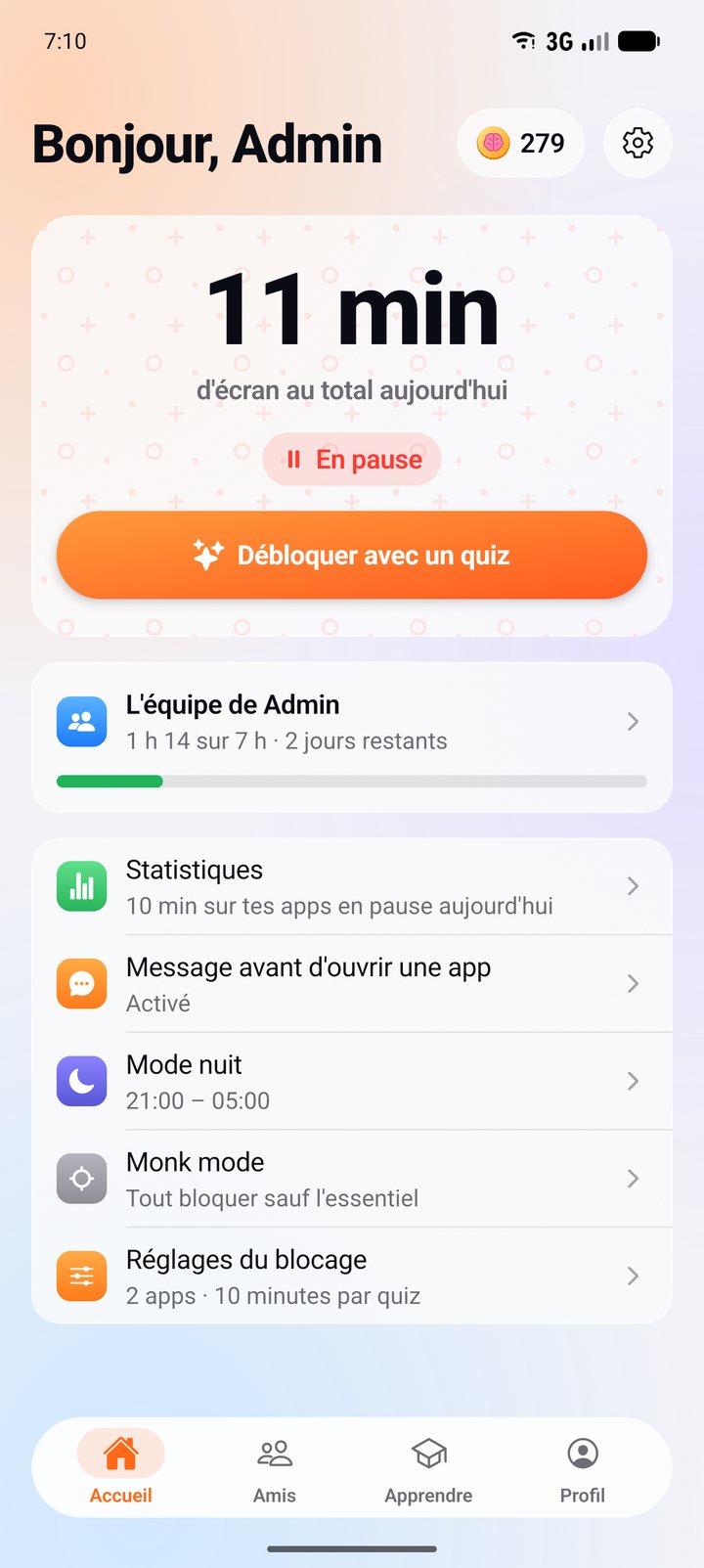
- SmartrLock pauses the apps you lose time on once the time you allow yourself is up.
- To go back, you first take a 5-question quiz: the urge to scroll has time to fade.
- Free with no ads on Android, with a friends leaderboard and teams.
You open Instagram for two minutes and look up an hour later. It's not a lack of willpower: these apps are built to keep you, with an endless feed, videos that keep playing and notifications that call you back. SmartrLock doesn't ask you to fight that alone. It adds a small pause at the right moment.
The idea: a pause, not a ban
You pick the apps that take your time and how much time you allow yourself. When that time is up, the app pauses. If you really want to go back, you first take a short 5-question quiz. During that minute, the urge to scroll has time to fade, and you often move on to something else.
If you go back anyway, that's fine: the app unlocks for the time you chose, and you learned something along the way.
Why it works better than blocking everything
- You keep the choice. Blocking that is too strict often gets switched off in a moment of frustration. A little friction lasts.
- You break the reflex. Most app openings happen without thinking. The pause gives you that moment of decision back.
- You don't feel punished. No guilt, no streak to keep, no flame going out. Just a pause and a question.
What you win back
SmartrLock compares your screen time with your screen time before, measured on your phone. Time won back is time for you, away from the screen: going to bed earlier, reading, going out, seeing people you love, or just doing nothing.
It's easier with friends
In the Friends tab, a leaderboard shows who spends the least time on their phone (only for those who choose to show it). You can also form a team of 2 to 6 friends with a weekly scrolling limit: +50 Brainz each if you make it. Read: Reduce your screen time with friends
Going further
- Night mode helps you put your phone down in the evening: a quiz unlocks only 5 minutes. Read: Put your phone down at night to sleep better
- Monk mode blocks everything but the essentials when you need to focus. Read: Focus without your phone with Monk mode
SmartrLock is free with no ads. Premium (€4.99 a month or €29.99 a year) adds all quiz paths, your own goals, night mode and Monk mode.
Ready to look up from your screen?
Get it on Google Play